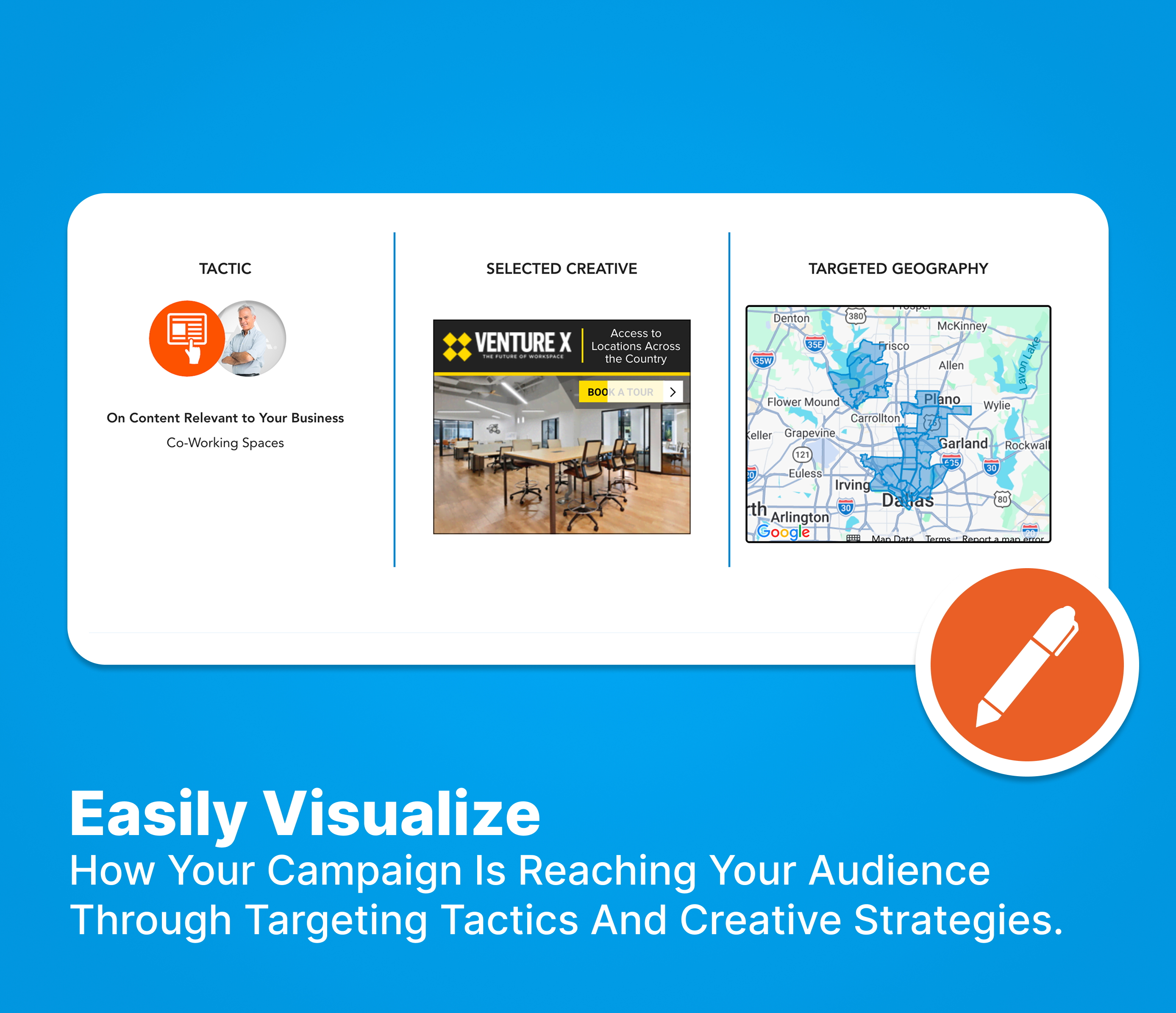
Onboard, manage, and review your campaign, all in one easy-to-use platform.
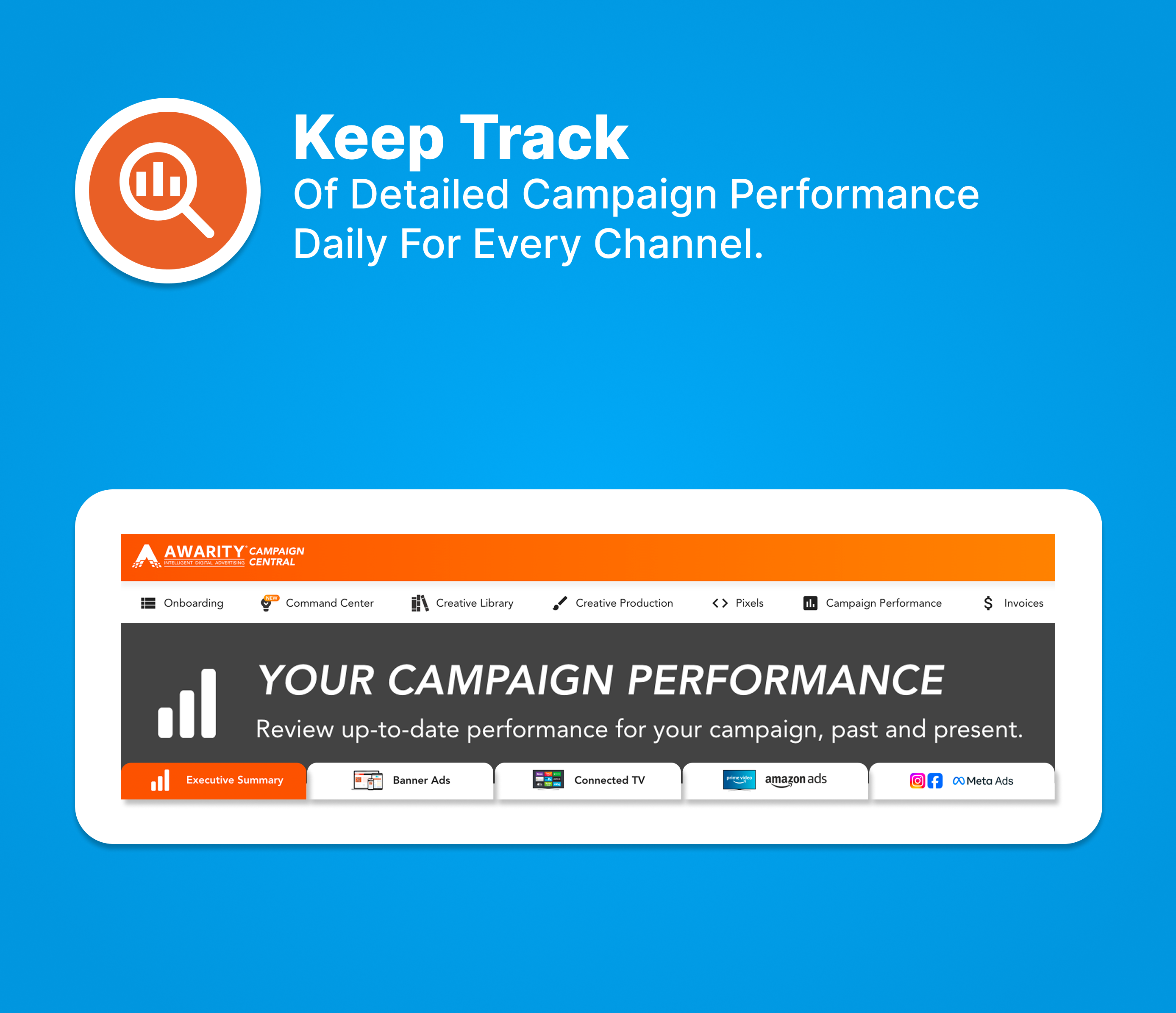
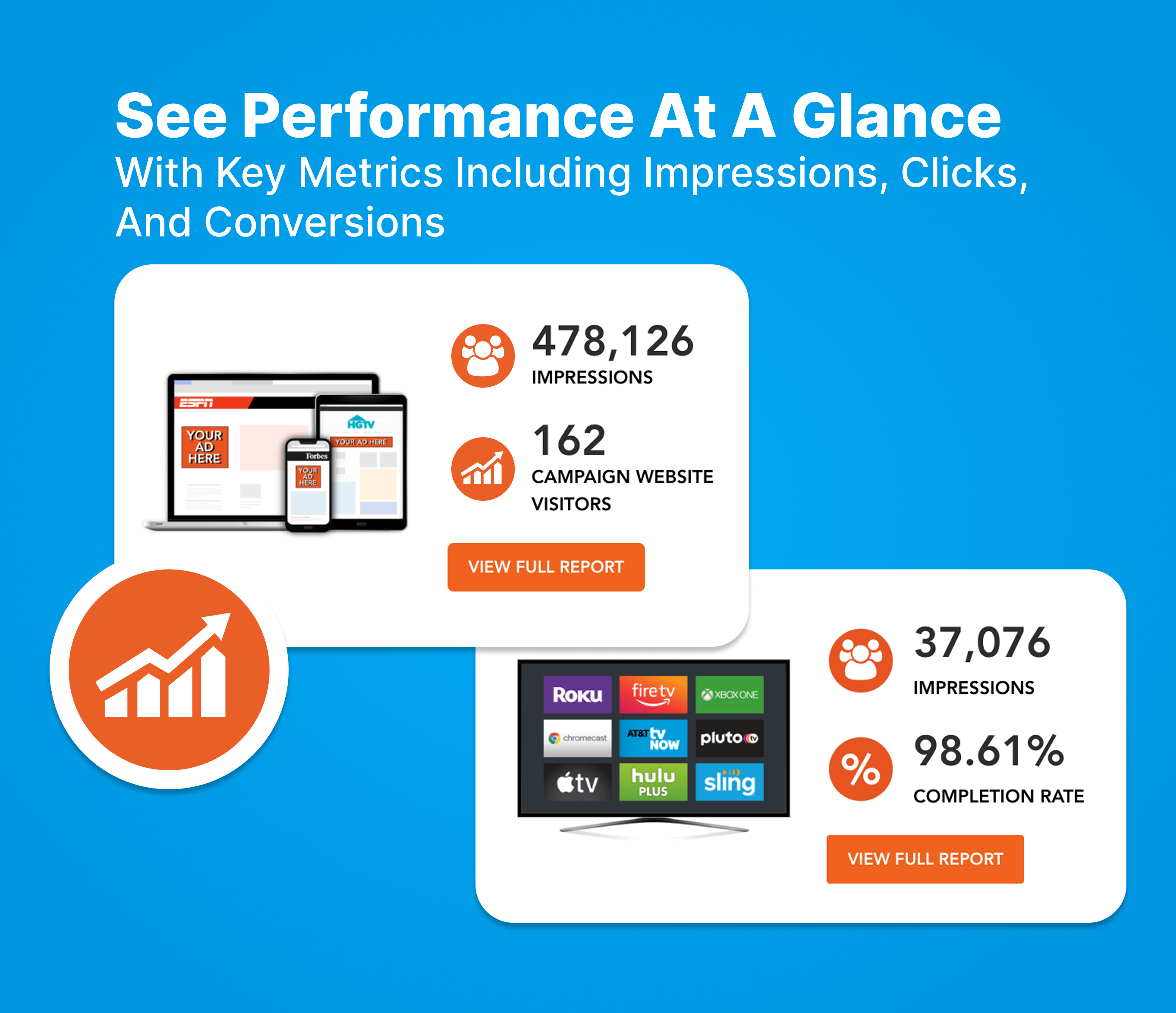
Keep track of detailed campaign performance daily for every channel.





Your Awarity-Sylvan LAF Portal allows you to check your territory’s current budget, spend, and monthly allocation. In the Budget Manager, you can update your annual or monthly budget and reallocate your budget to best suit your goals. In the Zip Code Manager, you can check the targeting and census info for your current zip codes and add or remove zip codes from your campaign.
Annual budget reductions must be approved by Awarity and in some cases, Sylvan corporate to ensure you fulfill your annual LAF requirement. If you’d like to reduce your annual budget, please submit a question here and we’ll advise.
Monthly budget reallocation can only be submitted if all annual budget has been allocated. You can confirm your allocation using the calculator on the lower right side.
All months will be locked the first business day after the 20th of the prior month.
Currently, there is no notification of corporate reforecasts. We encourage you to login to the portal to confirm your budget for the following month in advance of the 20th to allow time to submit changes.
Indexing measures how a specific subset compares to a baseline value of 100. Values >100 indicate a group is more likely to live in a zip code and values <100 indicate the group is less likely to live in a zip code.
Your annual budget is planned at the outset and then managed month to month through forecasting and pacing. Campaigns are adjusted to align with seasonality, performance, and approved changes. You can review your budget at any time in your Awarity-Sylvan LAF Portal.
Monthly budget changes should be submitted through the Awarity-Sylvan LAF Portal.
Monthly budget details are available at any time in your Awarity-Sylvan LAF Portal. You’re encouraged to login before the 20th of each month to confirm your budget for the following month to account for any reforecasts.
Your annual LAF commitment can be weighted unevenly across months, but changes must be submitted and approved in advance to ensure compliance and proper pacing.
Your digital advertising budget is managed through a monthly reforecasting process led by Sylvan Corporate. Prior to the start of each month, Corporate reviews overall performance, seasonality, and systemwide priorities and then sets the approved monthly budget for each center. That reforecast determines how much media is allocated for the upcoming month and ensures budgets remain aligned with LAF commitments and broader network goals.
If you would like to change or reallocate your monthly budget, you must submit updates in your Awarity-Sylvan LAF Portal in advance of the 20th the of the month prior to when the change should take effect. This deadline allows time for review, approval, and proper setup before the new month begins. Requests submitted after the deadline may need to be applied to a later month.
No. If advertising is paused for a given month, you will not be charged media spend for that month. However, your annual LAF minimum commitment still applies, meaning any paused spend may need to be redistributed across other months in the year to meet the total annual requirement outlined in your agreement.
Yes. Your annual LAF budget can be allocated unevenly to account for seasonality, enrollment cycles, or business needs. While monthly spend can vary, your total annual LAF commitment remains the same and must be fulfilled by the end of the year. All allocation changes should be submitted in advance through the Awarity-Sylvan LAF Portal.
The Awarity team works behind the scenes to keep your campaigns performing well. For the fastest help, submit a question here. Samantha and the Partnership Success team receive a notification right away that a ticket has been submitted and we respond to every question within one business day. You can also view previous webinars and dashboard walkthroughs with other FAQ’s discussed here.
At Awarity you get the best of both worlds: a world-class Data Science team and AI optimizations. Our Data Science team is constantly developing testing plans and optimizations that are data-backed to ensure your campaign is as effective as possible. The AI platform carries out those optimizations faster and more accurately than any human could.
For the fastest response, please submit a ticket here to our team. Samantha and the Partnership Success team receive a notification right away that a ticket has been submitted and we respond to every question within one business day.
If you are new to partnering with Awarity for your 2026 LAF, you will receive your dashboard credentials via email from dashboard@awarity.com with a temporary password to login. Once received, you can login to your Awarity Campaign Central dashboard at dashboard.awarity.com. If you have partnered with us before, you can use your same login to see your performance.
In your Campaign Central executive summary, you will see total leads as reported from the Sylvan contacts database. This includes web forms, phone calls greater than two minutes, and engagement with the Sylvan Skills Check. In the different ad channels, you will see how the channels assert their impact over this lead flow. Watch this video here to learn more on why the total leads section is most important.
On Paid Search, your ads show to people looking for tutoring services and Sylvan, with a stronger focus on non-branded searches so you can win parents who are not yet committed to a specific provider.
On Meta, we target parents of kids ages 6–17 using demographics, behaviors, and interests like education, homeschooling, and competitors such as Mathnasium and Kumon.
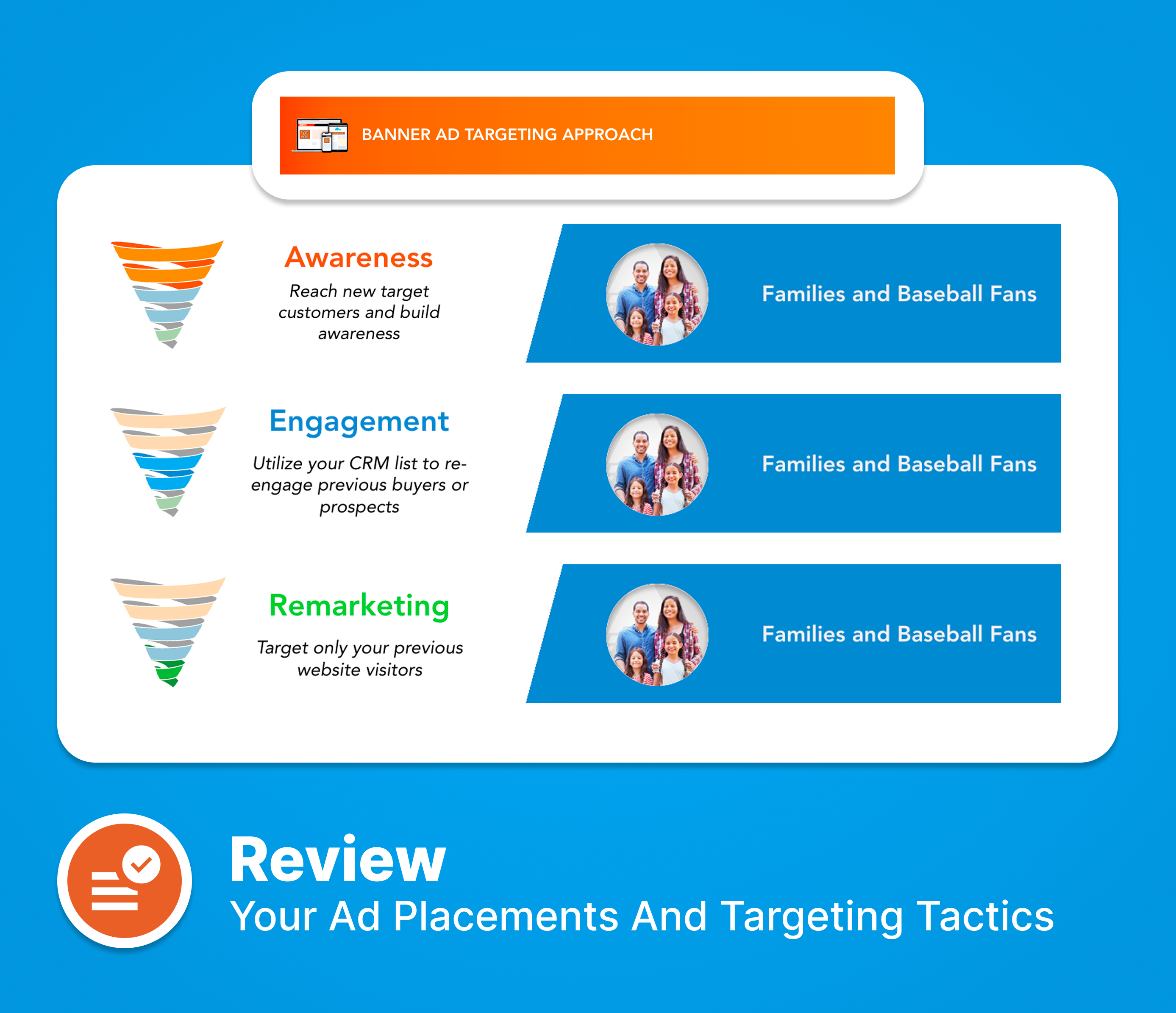
On Banner Ads, we reach parents on sites and articles about parenting, tutoring, and educational enrichment, and we also retarget people who recently visited your website.
On Connected TV, your local commercial appears in front of parents with kids ages 6–17 on leading streaming channels and apps.
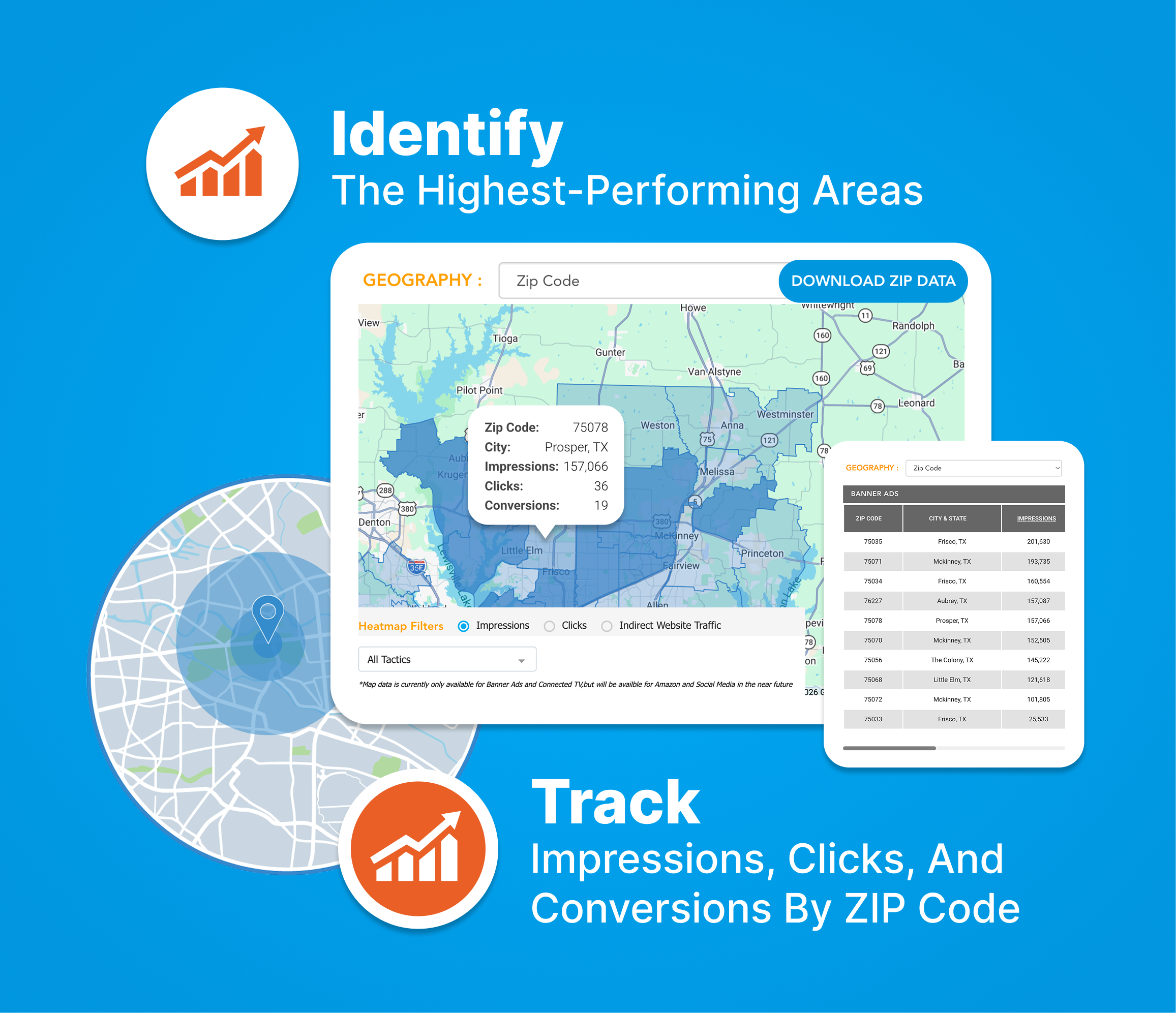
Zip codes were selected using your past enrollments and booked assessments so your budget focuses on areas that have already performed well. This helps make your marketing spend more effective. If you want to update your zip codes, please submit a question.
Meta uses its own location logic to decide who is in your zip codes. While each territory's campaigns are set up with their own unique zip codes, Meta is known to use it's own rules to define who they think is likely to be in that zip code, and they do not let advertisers control this. In vacation or high-traffic areas, this can happen a bit more often, but it is generally a small portion of your overall budget. We are continuing to explore work arounds and have requested this feature to be changed, but it's an issue every brand on Meta is currently dealing with.
You have the choice to run separately or together. Please note that there will be separate management fees if you decide to go that route.
Yes, you can submit changes through the Awarity-Sylvan LAF Portal as long as it is submitted by the deadline, and the zip codes are not located in another center’s territory.
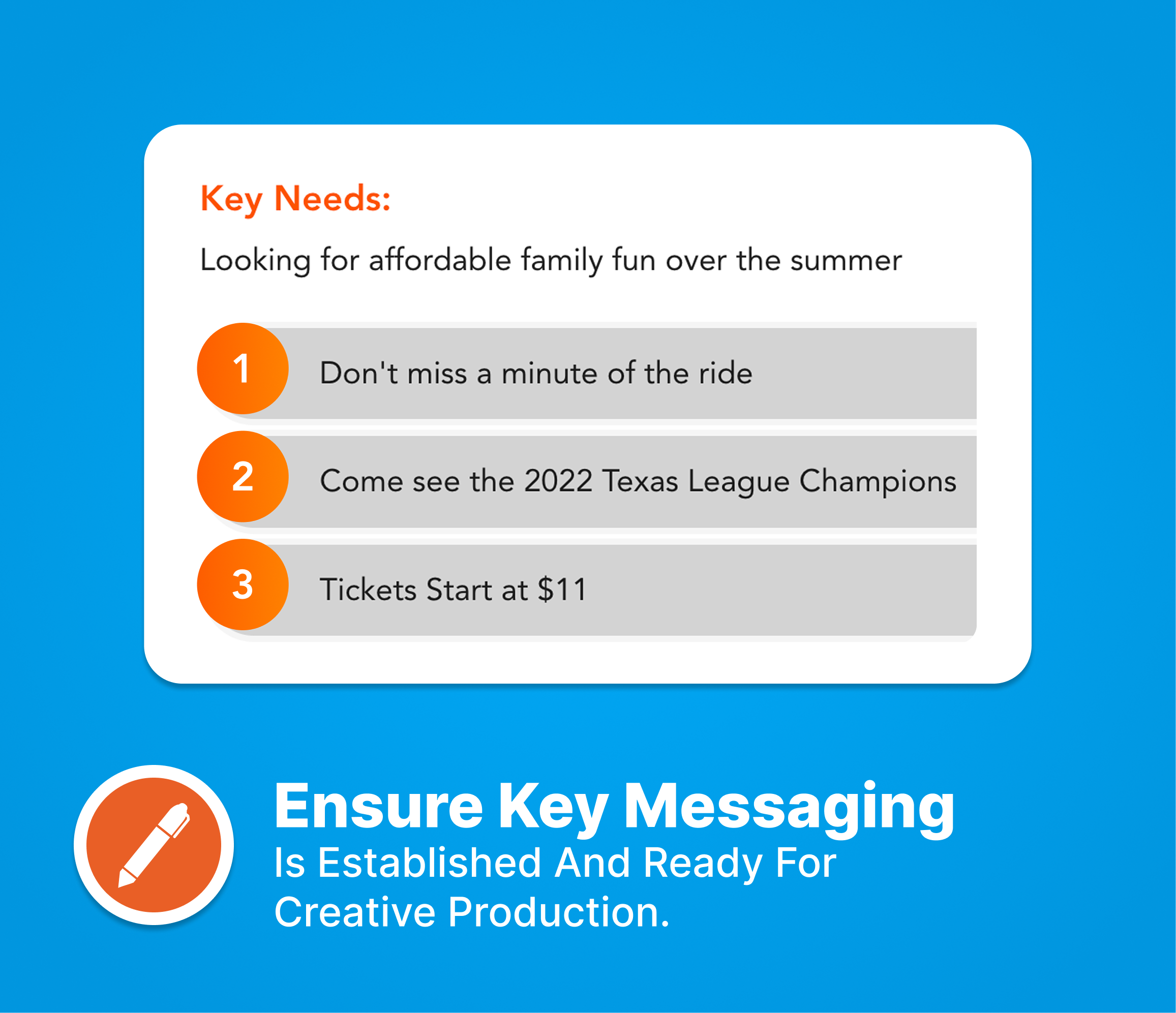
Your creative will be updated to align with Sylvan’s promotions and seasonal moments, in partnership with Corporate. Over the next few months, we will build a creative library that fits your ideal schedule and brand messaging, and all templates will be approved by Corporate and localized for your center before they go live when applicable. If you have your own promotional or seasonal ideas you want included, please submit a ticket so we can add them to your campaign.
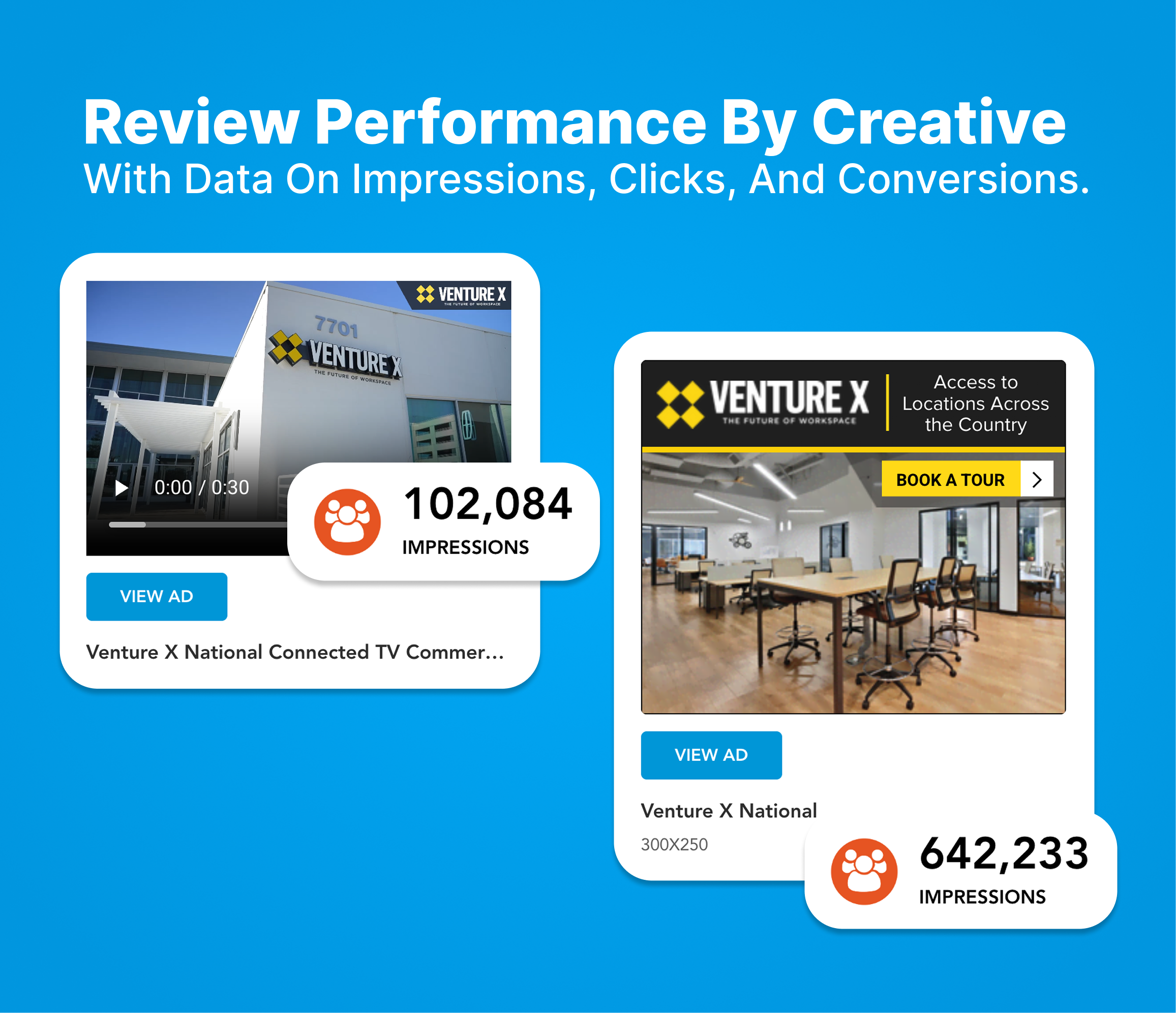
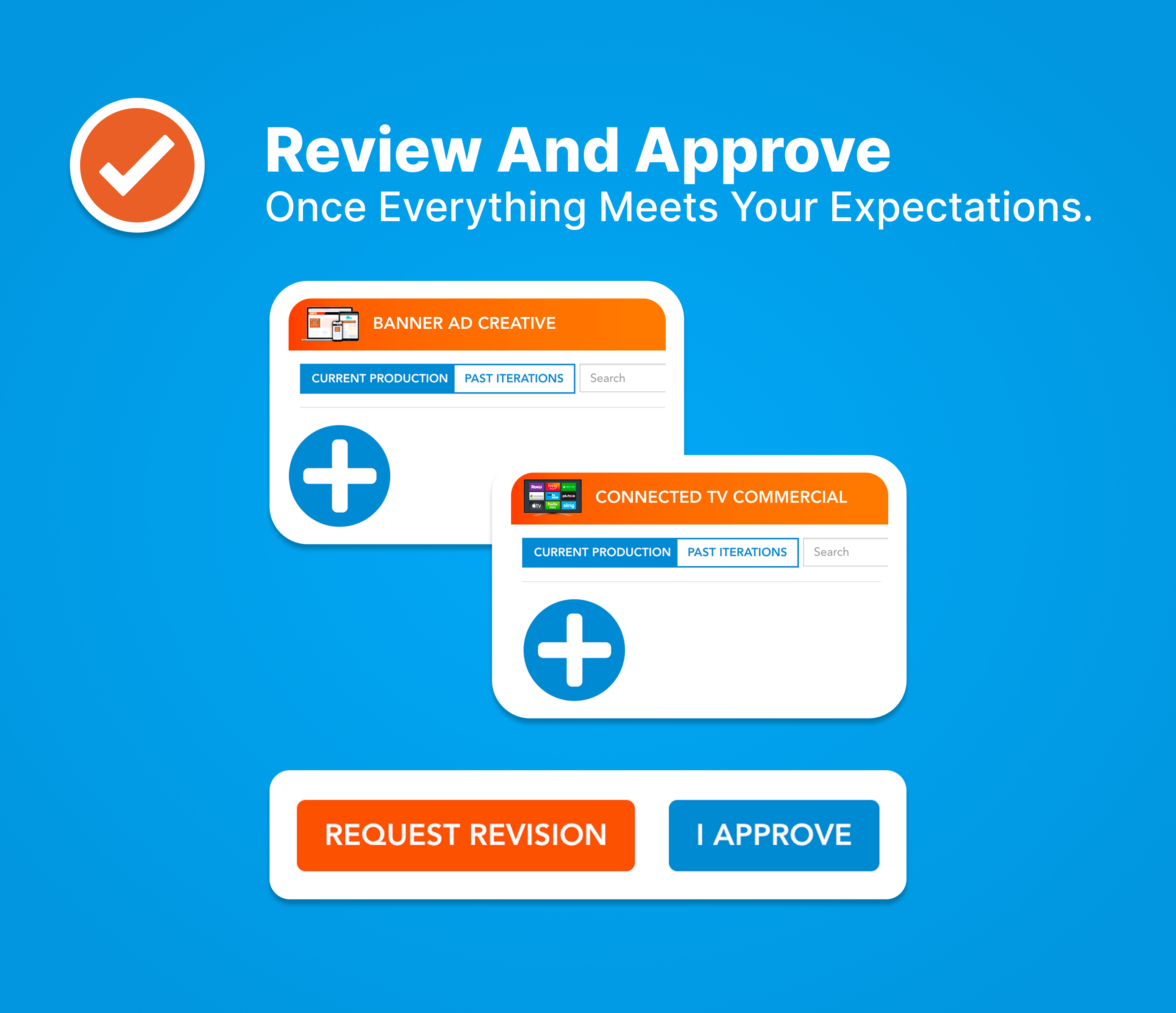
Meta, Banner ads and Connected TV creative will be available in your reporting. We will share new creatives in webinars and via email as they become available for your campaign. We are working on a feature exclusively for Sylvan owners to allow you to view and schedule creatives around your academic calendar and it will launch in early 2026!
Our plan to reach your target audience.


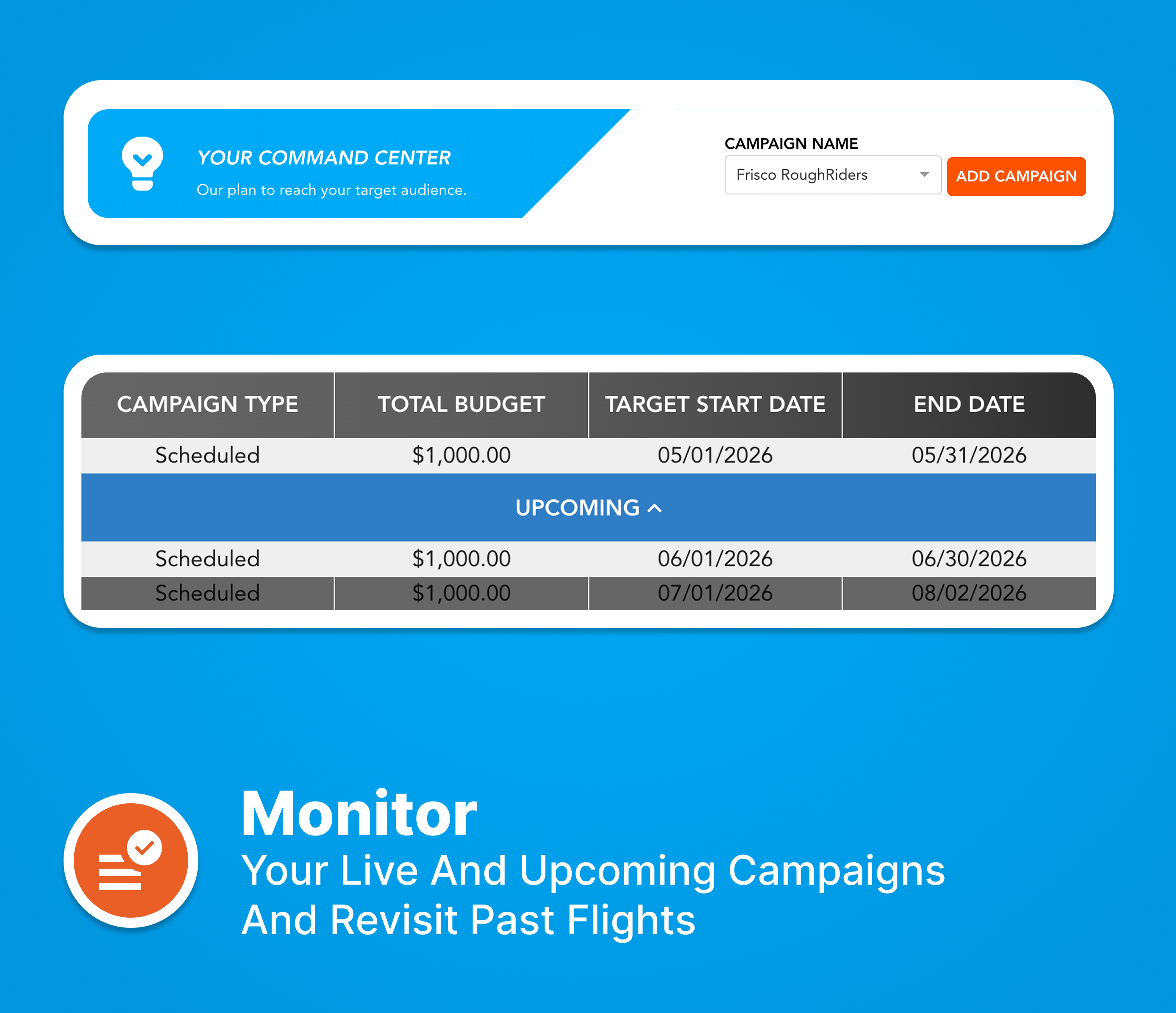

Your Awarity-Sylvan LAF Portal allows you to check your territory’s current budget, spend, and monthly allocation. In the Budget Manager, you can update your annual or monthly budget and reallocate your budget to best suit your goals. In the Zip Code Manager, you can check the targeting and census info for your current zip codes and add or remove zip codes from your campaign.
Annual budget reductions must be approved by Awarity and in some cases, Sylvan corporate to ensure you fulfill your annual LAF requirement. If you’d like to reduce your annual budget, please submit a question here and we’ll advise.
Monthly budget reallocation can only be submitted if all annual budget has been allocated. You can confirm your allocation using the calculator on the lower right side.
All months will be locked the first business day after the 20th of the prior month.
Currently, there is no notification of corporate reforecasts. We encourage you to login to the portal to confirm your budget for the following month in advance of the 20th to allow time to submit changes.
Indexing measures how a specific subset compares to a baseline value of 100. Values >100 indicate a group is more likely to live in a zip code and values <100 indicate the group is less likely to live in a zip code.
Your annual budget is planned at the outset and then managed month to month through forecasting and pacing. Campaigns are adjusted to align with seasonality, performance, and approved changes. You can review your budget at any time in your Awarity-Sylvan LAF Portal.
Monthly budget changes should be submitted through the Awarity-Sylvan LAF Portal.
Monthly budget details are available at any time in your Awarity-Sylvan LAF Portal. You’re encouraged to login before the 20th of each month to confirm your budget for the following month to account for any reforecasts.
Your annual LAF commitment can be weighted unevenly across months, but changes must be submitted and approved in advance to ensure compliance and proper pacing.
Your digital advertising budget is managed through a monthly reforecasting process led by Sylvan Corporate. Prior to the start of each month, Corporate reviews overall performance, seasonality, and systemwide priorities and then sets the approved monthly budget for each center. That reforecast determines how much media is allocated for the upcoming month and ensures budgets remain aligned with LAF commitments and broader network goals.
If you would like to change or reallocate your monthly budget, you must submit updates in your Awarity-Sylvan LAF Portal in advance of the 20th the of the month prior to when the change should take effect. This deadline allows time for review, approval, and proper setup before the new month begins. Requests submitted after the deadline may need to be applied to a later month.
No. If advertising is paused for a given month, you will not be charged media spend for that month. However, your annual LAF minimum commitment still applies, meaning any paused spend may need to be redistributed across other months in the year to meet the total annual requirement outlined in your agreement.
Yes. Your annual LAF budget can be allocated unevenly to account for seasonality, enrollment cycles, or business needs. While monthly spend can vary, your total annual LAF commitment remains the same and must be fulfilled by the end of the year. All allocation changes should be submitted in advance through the Awarity-Sylvan LAF Portal.
The Awarity team works behind the scenes to keep your campaigns performing well. For the fastest help, submit a question here. Samantha and the Partnership Success team receive a notification right away that a ticket has been submitted and we respond to every question within one business day. You can also view previous webinars and dashboard walkthroughs with other FAQ’s discussed here.
At Awarity you get the best of both worlds: a world-class Data Science team and AI optimizations. Our Data Science team is constantly developing testing plans and optimizations that are data-backed to ensure your campaign is as effective as possible. The AI platform carries out those optimizations faster and more accurately than any human could.
For the fastest response, please submit a ticket here to our team. Samantha and the Partnership Success team receive a notification right away that a ticket has been submitted and we respond to every question within one business day.
If you are new to partnering with Awarity for your 2026 LAF, you will receive your dashboard credentials via email from dashboard@awarity.com with a temporary password to login. Once received, you can login to your Awarity Campaign Central dashboard at dashboard.awarity.com. If you have partnered with us before, you can use your same login to see your performance.
In your Campaign Central executive summary, you will see total leads as reported from the Sylvan contacts database. This includes web forms, phone calls greater than two minutes, and engagement with the Sylvan Skills Check. In the different ad channels, you will see how the channels assert their impact over this lead flow. Watch this video here to learn more on why the total leads section is most important.
On Paid Search, your ads show to people looking for tutoring services and Sylvan, with a stronger focus on non-branded searches so you can win parents who are not yet committed to a specific provider.
On Meta, we target parents of kids ages 6–17 using demographics, behaviors, and interests like education, homeschooling, and competitors such as Mathnasium and Kumon.
On Banner Ads, we reach parents on sites and articles about parenting, tutoring, and educational enrichment, and we also retarget people who recently visited your website.
On Connected TV, your local commercial appears in front of parents with kids ages 6–17 on leading streaming channels and apps.
Zip codes were selected using your past enrollments and booked assessments so your budget focuses on areas that have already performed well. This helps make your marketing spend more effective. If you want to update your zip codes, please submit a question.
Meta uses its own location logic to decide who is in your zip codes. While each territory's campaigns are set up with their own unique zip codes, Meta is known to use it's own rules to define who they think is likely to be in that zip code, and they do not let advertisers control this. In vacation or high-traffic areas, this can happen a bit more often, but it is generally a small portion of your overall budget. We are continuing to explore work arounds and have requested this feature to be changed, but it's an issue every brand on Meta is currently dealing with.
You have the choice to run separately or together. Please note that there will be separate management fees if you decide to go that route.
Yes, you can submit changes through the Awarity-Sylvan LAF Portal as long as it is submitted by the deadline, and the zip codes are not located in another center’s territory.
Your creative will be updated to align with Sylvan’s promotions and seasonal moments, in partnership with Corporate. Over the next few months, we will build a creative library that fits your ideal schedule and brand messaging, and all templates will be approved by Corporate and localized for your center before they go live when applicable. If you have your own promotional or seasonal ideas you want included, please submit a ticket so we can add them to your campaign.
Meta, Banner ads and Connected TV creative will be available in your reporting. We will share new creatives in webinars and via email as they become available for your campaign. We are working on a feature exclusively for Sylvan owners to allow you to view and schedule creatives around your academic calendar and it will launch in early 2026!
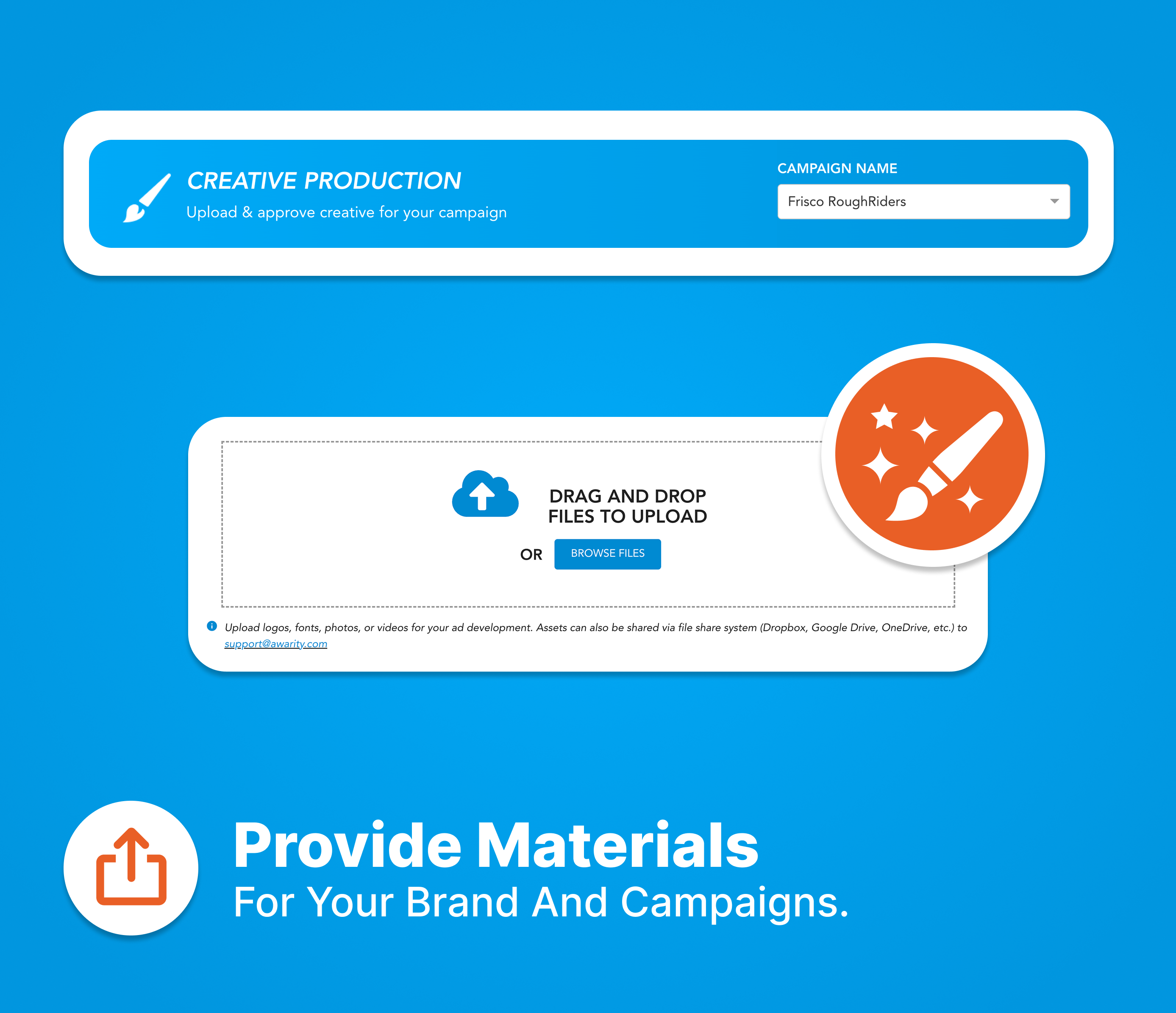
Access all your designs and upload brand assets in one place.

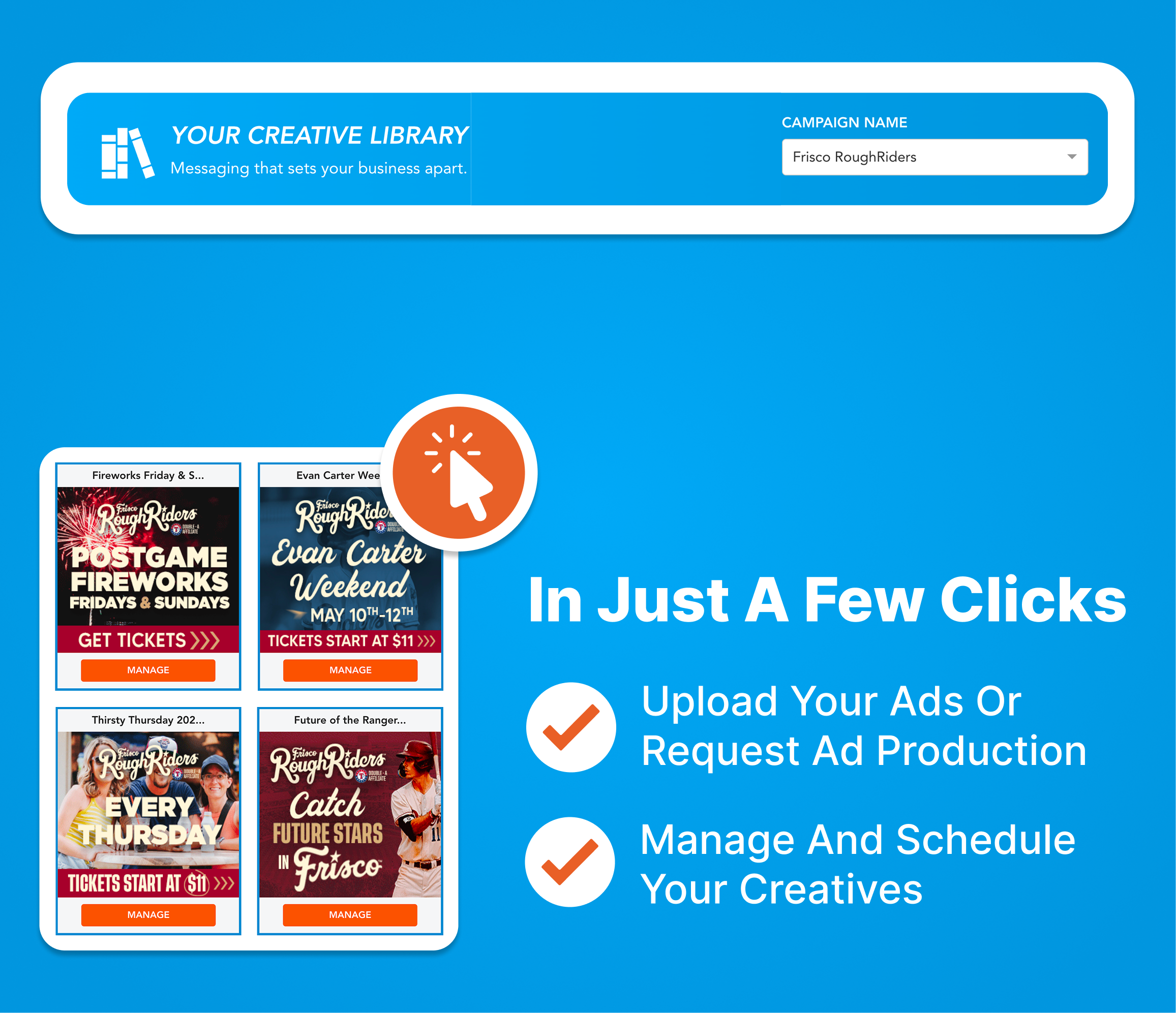


Your Awarity-Sylvan LAF Portal allows you to check your territory’s current budget, spend, and monthly allocation. In the Budget Manager, you can update your annual or monthly budget and reallocate your budget to best suit your goals. In the Zip Code Manager, you can check the targeting and census info for your current zip codes and add or remove zip codes from your campaign.
Annual budget reductions must be approved by Awarity and in some cases, Sylvan corporate to ensure you fulfill your annual LAF requirement. If you’d like to reduce your annual budget, please submit a question here and we’ll advise.
Monthly budget reallocation can only be submitted if all annual budget has been allocated. You can confirm your allocation using the calculator on the lower right side.
All months will be locked the first business day after the 20th of the prior month.
Currently, there is no notification of corporate reforecasts. We encourage you to login to the portal to confirm your budget for the following month in advance of the 20th to allow time to submit changes.
Indexing measures how a specific subset compares to a baseline value of 100. Values >100 indicate a group is more likely to live in a zip code and values <100 indicate the group is less likely to live in a zip code.
Your annual budget is planned at the outset and then managed month to month through forecasting and pacing. Campaigns are adjusted to align with seasonality, performance, and approved changes. You can review your budget at any time in your Awarity-Sylvan LAF Portal.
Monthly budget changes should be submitted through the Awarity-Sylvan LAF Portal.
Monthly budget details are available at any time in your Awarity-Sylvan LAF Portal. You’re encouraged to login before the 20th of each month to confirm your budget for the following month to account for any reforecasts.
Your annual LAF commitment can be weighted unevenly across months, but changes must be submitted and approved in advance to ensure compliance and proper pacing.
Your digital advertising budget is managed through a monthly reforecasting process led by Sylvan Corporate. Prior to the start of each month, Corporate reviews overall performance, seasonality, and systemwide priorities and then sets the approved monthly budget for each center. That reforecast determines how much media is allocated for the upcoming month and ensures budgets remain aligned with LAF commitments and broader network goals.
If you would like to change or reallocate your monthly budget, you must submit updates in your Awarity-Sylvan LAF Portal in advance of the 20th the of the month prior to when the change should take effect. This deadline allows time for review, approval, and proper setup before the new month begins. Requests submitted after the deadline may need to be applied to a later month.
No. If advertising is paused for a given month, you will not be charged media spend for that month. However, your annual LAF minimum commitment still applies, meaning any paused spend may need to be redistributed across other months in the year to meet the total annual requirement outlined in your agreement.
Yes. Your annual LAF budget can be allocated unevenly to account for seasonality, enrollment cycles, or business needs. While monthly spend can vary, your total annual LAF commitment remains the same and must be fulfilled by the end of the year. All allocation changes should be submitted in advance through the Awarity-Sylvan LAF Portal.
The Awarity team works behind the scenes to keep your campaigns performing well. For the fastest help, submit a question here. Samantha and the Partnership Success team receive a notification right away that a ticket has been submitted and we respond to every question within one business day. You can also view previous webinars and dashboard walkthroughs with other FAQ’s discussed here.
At Awarity you get the best of both worlds: a world-class Data Science team and AI optimizations. Our Data Science team is constantly developing testing plans and optimizations that are data-backed to ensure your campaign is as effective as possible. The AI platform carries out those optimizations faster and more accurately than any human could.
For the fastest response, please submit a ticket here to our team. Samantha and the Partnership Success team receive a notification right away that a ticket has been submitted and we respond to every question within one business day.
If you are new to partnering with Awarity for your 2026 LAF, you will receive your dashboard credentials via email from dashboard@awarity.com with a temporary password to login. Once received, you can login to your Awarity Campaign Central dashboard at dashboard.awarity.com. If you have partnered with us before, you can use your same login to see your performance.
In your Campaign Central executive summary, you will see total leads as reported from the Sylvan contacts database. This includes web forms, phone calls greater than two minutes, and engagement with the Sylvan Skills Check. In the different ad channels, you will see how the channels assert their impact over this lead flow. Watch this video here to learn more on why the total leads section is most important.
On Paid Search, your ads show to people looking for tutoring services and Sylvan, with a stronger focus on non-branded searches so you can win parents who are not yet committed to a specific provider.
On Meta, we target parents of kids ages 6–17 using demographics, behaviors, and interests like education, homeschooling, and competitors such as Mathnasium and Kumon.
On Banner Ads, we reach parents on sites and articles about parenting, tutoring, and educational enrichment, and we also retarget people who recently visited your website.
On Connected TV, your local commercial appears in front of parents with kids ages 6–17 on leading streaming channels and apps.
Zip codes were selected using your past enrollments and booked assessments so your budget focuses on areas that have already performed well. This helps make your marketing spend more effective. If you want to update your zip codes, please submit a question.
Meta uses its own location logic to decide who is in your zip codes. While each territory's campaigns are set up with their own unique zip codes, Meta is known to use it's own rules to define who they think is likely to be in that zip code, and they do not let advertisers control this. In vacation or high-traffic areas, this can happen a bit more often, but it is generally a small portion of your overall budget. We are continuing to explore work arounds and have requested this feature to be changed, but it's an issue every brand on Meta is currently dealing with.
You have the choice to run separately or together. Please note that there will be separate management fees if you decide to go that route.
Yes, you can submit changes through the Awarity-Sylvan LAF Portal as long as it is submitted by the deadline, and the zip codes are not located in another center’s territory.
Your creative will be updated to align with Sylvan’s promotions and seasonal moments, in partnership with Corporate. Over the next few months, we will build a creative library that fits your ideal schedule and brand messaging, and all templates will be approved by Corporate and localized for your center before they go live when applicable. If you have your own promotional or seasonal ideas you want included, please submit a ticket so we can add them to your campaign.
Meta, Banner ads and Connected TV creative will be available in your reporting. We will share new creatives in webinars and via email as they become available for your campaign. We are working on a feature exclusively for Sylvan owners to allow you to view and schedule creatives around your academic calendar and it will launch in early 2026!
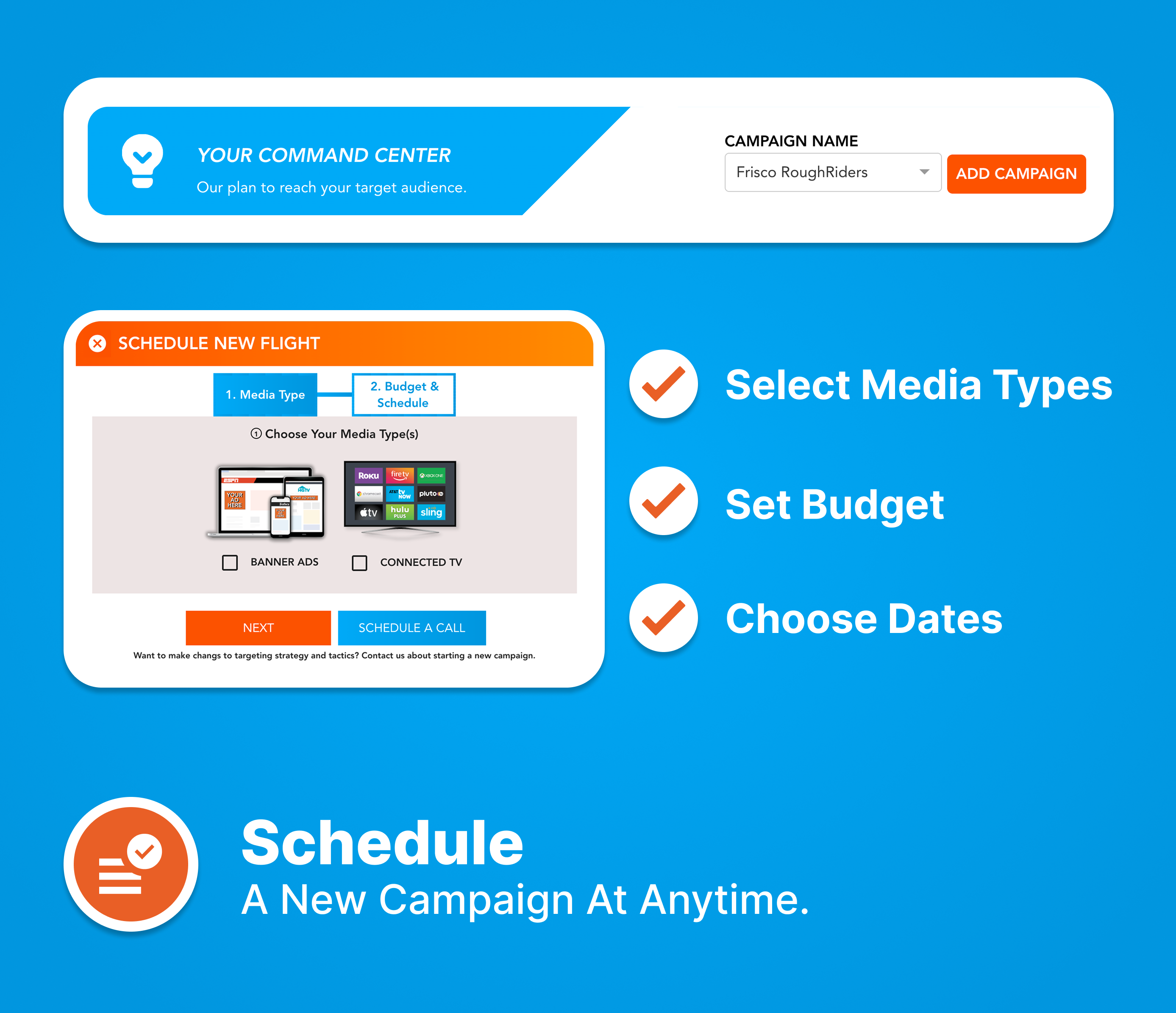
Simple steps to start your campaign.






Your Awarity-Sylvan LAF Portal allows you to check your territory’s current budget, spend, and monthly allocation. In the Budget Manager, you can update your annual or monthly budget and reallocate your budget to best suit your goals. In the Zip Code Manager, you can check the targeting and census info for your current zip codes and add or remove zip codes from your campaign.
Annual budget reductions must be approved by Awarity and in some cases, Sylvan corporate to ensure you fulfill your annual LAF requirement. If you’d like to reduce your annual budget, please submit a question here and we’ll advise.
Monthly budget reallocation can only be submitted if all annual budget has been allocated. You can confirm your allocation using the calculator on the lower right side.
All months will be locked the first business day after the 20th of the prior month.
Currently, there is no notification of corporate reforecasts. We encourage you to login to the portal to confirm your budget for the following month in advance of the 20th to allow time to submit changes.
Indexing measures how a specific subset compares to a baseline value of 100. Values >100 indicate a group is more likely to live in a zip code and values <100 indicate the group is less likely to live in a zip code.
Your annual budget is planned at the outset and then managed month to month through forecasting and pacing. Campaigns are adjusted to align with seasonality, performance, and approved changes. You can review your budget at any time in your Awarity-Sylvan LAF Portal.
Monthly budget changes should be submitted through the Awarity-Sylvan LAF Portal.
Monthly budget details are available at any time in your Awarity-Sylvan LAF Portal. You’re encouraged to login before the 20th of each month to confirm your budget for the following month to account for any reforecasts.
Your annual LAF commitment can be weighted unevenly across months, but changes must be submitted and approved in advance to ensure compliance and proper pacing.
Your digital advertising budget is managed through a monthly reforecasting process led by Sylvan Corporate. Prior to the start of each month, Corporate reviews overall performance, seasonality, and systemwide priorities and then sets the approved monthly budget for each center. That reforecast determines how much media is allocated for the upcoming month and ensures budgets remain aligned with LAF commitments and broader network goals.
If you would like to change or reallocate your monthly budget, you must submit updates in your Awarity-Sylvan LAF Portal in advance of the 20th the of the month prior to when the change should take effect. This deadline allows time for review, approval, and proper setup before the new month begins. Requests submitted after the deadline may need to be applied to a later month.
No. If advertising is paused for a given month, you will not be charged media spend for that month. However, your annual LAF minimum commitment still applies, meaning any paused spend may need to be redistributed across other months in the year to meet the total annual requirement outlined in your agreement.
Yes. Your annual LAF budget can be allocated unevenly to account for seasonality, enrollment cycles, or business needs. While monthly spend can vary, your total annual LAF commitment remains the same and must be fulfilled by the end of the year. All allocation changes should be submitted in advance through the Awarity-Sylvan LAF Portal.
The Awarity team works behind the scenes to keep your campaigns performing well. For the fastest help, submit a question here. Samantha and the Partnership Success team receive a notification right away that a ticket has been submitted and we respond to every question within one business day. You can also view previous webinars and dashboard walkthroughs with other FAQ’s discussed here.
At Awarity you get the best of both worlds: a world-class Data Science team and AI optimizations. Our Data Science team is constantly developing testing plans and optimizations that are data-backed to ensure your campaign is as effective as possible. The AI platform carries out those optimizations faster and more accurately than any human could.
For the fastest response, please submit a ticket here to our team. Samantha and the Partnership Success team receive a notification right away that a ticket has been submitted and we respond to every question within one business day.
If you are new to partnering with Awarity for your 2026 LAF, you will receive your dashboard credentials via email from dashboard@awarity.com with a temporary password to login. Once received, you can login to your Awarity Campaign Central dashboard at dashboard.awarity.com. If you have partnered with us before, you can use your same login to see your performance.
In your Campaign Central executive summary, you will see total leads as reported from the Sylvan contacts database. This includes web forms, phone calls greater than two minutes, and engagement with the Sylvan Skills Check. In the different ad channels, you will see how the channels assert their impact over this lead flow. Watch this video here to learn more on why the total leads section is most important.
On Paid Search, your ads show to people looking for tutoring services and Sylvan, with a stronger focus on non-branded searches so you can win parents who are not yet committed to a specific provider.
On Meta, we target parents of kids ages 6–17 using demographics, behaviors, and interests like education, homeschooling, and competitors such as Mathnasium and Kumon.
On Banner Ads, we reach parents on sites and articles about parenting, tutoring, and educational enrichment, and we also retarget people who recently visited your website.
On Connected TV, your local commercial appears in front of parents with kids ages 6–17 on leading streaming channels and apps.
Zip codes were selected using your past enrollments and booked assessments so your budget focuses on areas that have already performed well. This helps make your marketing spend more effective. If you want to update your zip codes, please submit a question.
Meta uses its own location logic to decide who is in your zip codes. While each territory's campaigns are set up with their own unique zip codes, Meta is known to use it's own rules to define who they think is likely to be in that zip code, and they do not let advertisers control this. In vacation or high-traffic areas, this can happen a bit more often, but it is generally a small portion of your overall budget. We are continuing to explore work arounds and have requested this feature to be changed, but it's an issue every brand on Meta is currently dealing with.
You have the choice to run separately or together. Please note that there will be separate management fees if you decide to go that route.
Yes, you can submit changes through the Awarity-Sylvan LAF Portal as long as it is submitted by the deadline, and the zip codes are not located in another center’s territory.
Your creative will be updated to align with Sylvan’s promotions and seasonal moments, in partnership with Corporate. Over the next few months, we will build a creative library that fits your ideal schedule and brand messaging, and all templates will be approved by Corporate and localized for your center before they go live when applicable. If you have your own promotional or seasonal ideas you want included, please submit a ticket so we can add them to your campaign.
Meta, Banner ads and Connected TV creative will be available in your reporting. We will share new creatives in webinars and via email as they become available for your campaign. We are working on a feature exclusively for Sylvan owners to allow you to view and schedule creatives around your academic calendar and it will launch in early 2026!
Keep track of detailed campaign performance daily for every channel.
Your Awarity-Sylvan LAF Portal allows you to check your territory’s current budget, spend, and monthly allocation. In the Budget Manager, you can update your annual or monthly budget and reallocate your budget to best suit your goals. In the Zip Code Manager, you can check the targeting and census info for your current zip codes and add or remove zip codes from your campaign.
Annual budget reductions must be approved by Awarity and in some cases, Sylvan corporate to ensure you fulfill your annual LAF requirement. If you’d like to reduce your annual budget, please submit a question here and we’ll advise.
Monthly budget reallocation can only be submitted if all annual budget has been allocated. You can confirm your allocation using the calculator on the lower right side.
All months will be locked the first business day after the 20th of the prior month.
Currently, there is no notification of corporate reforecasts. We encourage you to login to the portal to confirm your budget for the following month in advance of the 20th to allow time to submit changes.
Indexing measures how a specific subset compares to a baseline value of 100. Values >100 indicate a group is more likely to live in a zip code and values <100 indicate the group is less likely to live in a zip code.
Your annual budget is planned at the outset and then managed month to month through forecasting and pacing. Campaigns are adjusted to align with seasonality, performance, and approved changes. You can review your budget at any time in your Awarity-Sylvan LAF Portal.
Monthly budget changes should be submitted through the Awarity-Sylvan LAF Portal.
Monthly budget details are available at any time in your Awarity-Sylvan LAF Portal. You’re encouraged to login before the 20th of each month to confirm your budget for the following month to account for any reforecasts.
Your annual LAF commitment can be weighted unevenly across months, but changes must be submitted and approved in advance to ensure compliance and proper pacing.
Your digital advertising budget is managed through a monthly reforecasting process led by Sylvan Corporate. Prior to the start of each month, Corporate reviews overall performance, seasonality, and systemwide priorities and then sets the approved monthly budget for each center. That reforecast determines how much media is allocated for the upcoming month and ensures budgets remain aligned with LAF commitments and broader network goals.
If you would like to change or reallocate your monthly budget, you must submit updates in your Awarity-Sylvan LAF Portal in advance of the 20th the of the month prior to when the change should take effect. This deadline allows time for review, approval, and proper setup before the new month begins. Requests submitted after the deadline may need to be applied to a later month.
No. If advertising is paused for a given month, you will not be charged media spend for that month. However, your annual LAF minimum commitment still applies, meaning any paused spend may need to be redistributed across other months in the year to meet the total annual requirement outlined in your agreement.
Yes. Your annual LAF budget can be allocated unevenly to account for seasonality, enrollment cycles, or business needs. While monthly spend can vary, your total annual LAF commitment remains the same and must be fulfilled by the end of the year. All allocation changes should be submitted in advance through the Awarity-Sylvan LAF Portal.
The Awarity team works behind the scenes to keep your campaigns performing well. For the fastest help, submit a question here. Samantha and the Partnership Success team receive a notification right away that a ticket has been submitted and we respond to every question within one business day. You can also view previous webinars and dashboard walkthroughs with other FAQ’s discussed here.
At Awarity you get the best of both worlds: a world-class Data Science team and AI optimizations. Our Data Science team is constantly developing testing plans and optimizations that are data-backed to ensure your campaign is as effective as possible. The AI platform carries out those optimizations faster and more accurately than any human could.
For the fastest response, please submit a ticket here to our team. Samantha and the Partnership Success team receive a notification right away that a ticket has been submitted and we respond to every question within one business day.
If you are new to partnering with Awarity for your 2026 LAF, you will receive your dashboard credentials via email from dashboard@awarity.com with a temporary password to login. Once received, you can login to your Awarity Campaign Central dashboard at dashboard.awarity.com. If you have partnered with us before, you can use your same login to see your performance.
In your Campaign Central executive summary, you will see total leads as reported from the Sylvan contacts database. This includes web forms, phone calls greater than two minutes, and engagement with the Sylvan Skills Check. In the different ad channels, you will see how the channels assert their impact over this lead flow. Watch this video here to learn more on why the total leads section is most important.
On Paid Search, your ads show to people looking for tutoring services and Sylvan, with a stronger focus on non-branded searches so you can win parents who are not yet committed to a specific provider.
On Meta, we target parents of kids ages 6–17 using demographics, behaviors, and interests like education, homeschooling, and competitors such as Mathnasium and Kumon.
On Banner Ads, we reach parents on sites and articles about parenting, tutoring, and educational enrichment, and we also retarget people who recently visited your website.
On Connected TV, your local commercial appears in front of parents with kids ages 6–17 on leading streaming channels and apps.
Zip codes were selected using your past enrollments and booked assessments so your budget focuses on areas that have already performed well. This helps make your marketing spend more effective. If you want to update your zip codes, please submit a question.
Meta uses its own location logic to decide who is in your zip codes. While each territory's campaigns are set up with their own unique zip codes, Meta is known to use it's own rules to define who they think is likely to be in that zip code, and they do not let advertisers control this. In vacation or high-traffic areas, this can happen a bit more often, but it is generally a small portion of your overall budget. We are continuing to explore work arounds and have requested this feature to be changed, but it's an issue every brand on Meta is currently dealing with.
You have the choice to run separately or together. Please note that there will be separate management fees if you decide to go that route.
Yes, you can submit changes through the Awarity-Sylvan LAF Portal as long as it is submitted by the deadline, and the zip codes are not located in another center’s territory.
Your creative will be updated to align with Sylvan’s promotions and seasonal moments, in partnership with Corporate. Over the next few months, we will build a creative library that fits your ideal schedule and brand messaging, and all templates will be approved by Corporate and localized for your center before they go live when applicable. If you have your own promotional or seasonal ideas you want included, please submit a ticket so we can add them to your campaign.
Meta, Banner ads and Connected TV creative will be available in your reporting. We will share new creatives in webinars and via email as they become available for your campaign. We are working on a feature exclusively for Sylvan owners to allow you to view and schedule creatives around your academic calendar and it will launch in early 2026!
Our plan to reach your target audience.
Your Awarity-Sylvan LAF Portal allows you to check your territory’s current budget, spend, and monthly allocation. In the Budget Manager, you can update your annual or monthly budget and reallocate your budget to best suit your goals. In the Zip Code Manager, you can check the targeting and census info for your current zip codes and add or remove zip codes from your campaign.
Annual budget reductions must be approved by Awarity and in some cases, Sylvan corporate to ensure you fulfill your annual LAF requirement. If you’d like to reduce your annual budget, please submit a question here and we’ll advise.
Monthly budget reallocation can only be submitted if all annual budget has been allocated. You can confirm your allocation using the calculator on the lower right side.
All months will be locked the first business day after the 20th of the prior month.
Currently, there is no notification of corporate reforecasts. We encourage you to login to the portal to confirm your budget for the following month in advance of the 20th to allow time to submit changes.
Indexing measures how a specific subset compares to a baseline value of 100. Values >100 indicate a group is more likely to live in a zip code and values <100 indicate the group is less likely to live in a zip code.
Your annual budget is planned at the outset and then managed month to month through forecasting and pacing. Campaigns are adjusted to align with seasonality, performance, and approved changes. You can review your budget at any time in your Awarity-Sylvan LAF Portal.
Monthly budget changes should be submitted through the Awarity-Sylvan LAF Portal.
Monthly budget details are available at any time in your Awarity-Sylvan LAF Portal. You’re encouraged to login before the 20th of each month to confirm your budget for the following month to account for any reforecasts.
Your annual LAF commitment can be weighted unevenly across months, but changes must be submitted and approved in advance to ensure compliance and proper pacing.
Your digital advertising budget is managed through a monthly reforecasting process led by Sylvan Corporate. Prior to the start of each month, Corporate reviews overall performance, seasonality, and systemwide priorities and then sets the approved monthly budget for each center. That reforecast determines how much media is allocated for the upcoming month and ensures budgets remain aligned with LAF commitments and broader network goals.
If you would like to change or reallocate your monthly budget, you must submit updates in your Awarity-Sylvan LAF Portal in advance of the 20th the of the month prior to when the change should take effect. This deadline allows time for review, approval, and proper setup before the new month begins. Requests submitted after the deadline may need to be applied to a later month.
No. If advertising is paused for a given month, you will not be charged media spend for that month. However, your annual LAF minimum commitment still applies, meaning any paused spend may need to be redistributed across other months in the year to meet the total annual requirement outlined in your agreement.
Yes. Your annual LAF budget can be allocated unevenly to account for seasonality, enrollment cycles, or business needs. While monthly spend can vary, your total annual LAF commitment remains the same and must be fulfilled by the end of the year. All allocation changes should be submitted in advance through the Awarity-Sylvan LAF Portal.
The Awarity team works behind the scenes to keep your campaigns performing well. For the fastest help, submit a question here. Samantha and the Partnership Success team receive a notification right away that a ticket has been submitted and we respond to every question within one business day. You can also view previous webinars and dashboard walkthroughs with other FAQ’s discussed here.
At Awarity you get the best of both worlds: a world-class Data Science team and AI optimizations. Our Data Science team is constantly developing testing plans and optimizations that are data-backed to ensure your campaign is as effective as possible. The AI platform carries out those optimizations faster and more accurately than any human could.
For the fastest response, please submit a ticket here to our team. Samantha and the Partnership Success team receive a notification right away that a ticket has been submitted and we respond to every question within one business day.
If you are new to partnering with Awarity for your 2026 LAF, you will receive your dashboard credentials via email from dashboard@awarity.com with a temporary password to login. Once received, you can login to your Awarity Campaign Central dashboard at dashboard.awarity.com. If you have partnered with us before, you can use your same login to see your performance.
In your Campaign Central executive summary, you will see total leads as reported from the Sylvan contacts database. This includes web forms, phone calls greater than two minutes, and engagement with the Sylvan Skills Check. In the different ad channels, you will see how the channels assert their impact over this lead flow. Watch this video here to learn more on why the total leads section is most important.
On Paid Search, your ads show to people looking for tutoring services and Sylvan, with a stronger focus on non-branded searches so you can win parents who are not yet committed to a specific provider.
On Meta, we target parents of kids ages 6–17 using demographics, behaviors, and interests like education, homeschooling, and competitors such as Mathnasium and Kumon.
On Banner Ads, we reach parents on sites and articles about parenting, tutoring, and educational enrichment, and we also retarget people who recently visited your website.
On Connected TV, your local commercial appears in front of parents with kids ages 6–17 on leading streaming channels and apps.
Zip codes were selected using your past enrollments and booked assessments so your budget focuses on areas that have already performed well. This helps make your marketing spend more effective. If you want to update your zip codes, please submit a question.
Meta uses its own location logic to decide who is in your zip codes. While each territory's campaigns are set up with their own unique zip codes, Meta is known to use it's own rules to define who they think is likely to be in that zip code, and they do not let advertisers control this. In vacation or high-traffic areas, this can happen a bit more often, but it is generally a small portion of your overall budget. We are continuing to explore work arounds and have requested this feature to be changed, but it's an issue every brand on Meta is currently dealing with.
You have the choice to run separately or together. Please note that there will be separate management fees if you decide to go that route.
Yes, you can submit changes through the Awarity-Sylvan LAF Portal as long as it is submitted by the deadline, and the zip codes are not located in another center’s territory.
Your creative will be updated to align with Sylvan’s promotions and seasonal moments, in partnership with Corporate. Over the next few months, we will build a creative library that fits your ideal schedule and brand messaging, and all templates will be approved by Corporate and localized for your center before they go live when applicable. If you have your own promotional or seasonal ideas you want included, please submit a ticket so we can add them to your campaign.
Meta, Banner ads and Connected TV creative will be available in your reporting. We will share new creatives in webinars and via email as they become available for your campaign. We are working on a feature exclusively for Sylvan owners to allow you to view and schedule creatives around your academic calendar and it will launch in early 2026!
Access all your designs and upload brand assets in one place.
Your Awarity-Sylvan LAF Portal allows you to check your territory’s current budget, spend, and monthly allocation. In the Budget Manager, you can update your annual or monthly budget and reallocate your budget to best suit your goals. In the Zip Code Manager, you can check the targeting and census info for your current zip codes and add or remove zip codes from your campaign.
Annual budget reductions must be approved by Awarity and in some cases, Sylvan corporate to ensure you fulfill your annual LAF requirement. If you’d like to reduce your annual budget, please submit a question here and we’ll advise.
Monthly budget reallocation can only be submitted if all annual budget has been allocated. You can confirm your allocation using the calculator on the lower right side.
All months will be locked the first business day after the 20th of the prior month.
Currently, there is no notification of corporate reforecasts. We encourage you to login to the portal to confirm your budget for the following month in advance of the 20th to allow time to submit changes.
Indexing measures how a specific subset compares to a baseline value of 100. Values >100 indicate a group is more likely to live in a zip code and values <100 indicate the group is less likely to live in a zip code.
Your annual budget is planned at the outset and then managed month to month through forecasting and pacing. Campaigns are adjusted to align with seasonality, performance, and approved changes. You can review your budget at any time in your Awarity-Sylvan LAF Portal.
Monthly budget changes should be submitted through the Awarity-Sylvan LAF Portal.
Monthly budget details are available at any time in your Awarity-Sylvan LAF Portal. You’re encouraged to login before the 20th of each month to confirm your budget for the following month to account for any reforecasts.
Your annual LAF commitment can be weighted unevenly across months, but changes must be submitted and approved in advance to ensure compliance and proper pacing.
Your digital advertising budget is managed through a monthly reforecasting process led by Sylvan Corporate. Prior to the start of each month, Corporate reviews overall performance, seasonality, and systemwide priorities and then sets the approved monthly budget for each center. That reforecast determines how much media is allocated for the upcoming month and ensures budgets remain aligned with LAF commitments and broader network goals.
If you would like to change or reallocate your monthly budget, you must submit updates in your Awarity-Sylvan LAF Portal in advance of the 20th the of the month prior to when the change should take effect. This deadline allows time for review, approval, and proper setup before the new month begins. Requests submitted after the deadline may need to be applied to a later month.
No. If advertising is paused for a given month, you will not be charged media spend for that month. However, your annual LAF minimum commitment still applies, meaning any paused spend may need to be redistributed across other months in the year to meet the total annual requirement outlined in your agreement.
Yes. Your annual LAF budget can be allocated unevenly to account for seasonality, enrollment cycles, or business needs. While monthly spend can vary, your total annual LAF commitment remains the same and must be fulfilled by the end of the year. All allocation changes should be submitted in advance through the Awarity-Sylvan LAF Portal.
The Awarity team works behind the scenes to keep your campaigns performing well. For the fastest help, submit a question here. Samantha and the Partnership Success team receive a notification right away that a ticket has been submitted and we respond to every question within one business day. You can also view previous webinars and dashboard walkthroughs with other FAQ’s discussed here.
At Awarity you get the best of both worlds: a world-class Data Science team and AI optimizations. Our Data Science team is constantly developing testing plans and optimizations that are data-backed to ensure your campaign is as effective as possible. The AI platform carries out those optimizations faster and more accurately than any human could.
For the fastest response, please submit a ticket here to our team. Samantha and the Partnership Success team receive a notification right away that a ticket has been submitted and we respond to every question within one business day.
If you are new to partnering with Awarity for your 2026 LAF, you will receive your dashboard credentials via email from dashboard@awarity.com with a temporary password to login. Once received, you can login to your Awarity Campaign Central dashboard at dashboard.awarity.com. If you have partnered with us before, you can use your same login to see your performance.
In your Campaign Central executive summary, you will see total leads as reported from the Sylvan contacts database. This includes web forms, phone calls greater than two minutes, and engagement with the Sylvan Skills Check. In the different ad channels, you will see how the channels assert their impact over this lead flow. Watch this video here to learn more on why the total leads section is most important.
On Paid Search, your ads show to people looking for tutoring services and Sylvan, with a stronger focus on non-branded searches so you can win parents who are not yet committed to a specific provider.
On Meta, we target parents of kids ages 6–17 using demographics, behaviors, and interests like education, homeschooling, and competitors such as Mathnasium and Kumon.
On Banner Ads, we reach parents on sites and articles about parenting, tutoring, and educational enrichment, and we also retarget people who recently visited your website.
On Connected TV, your local commercial appears in front of parents with kids ages 6–17 on leading streaming channels and apps.
Zip codes were selected using your past enrollments and booked assessments so your budget focuses on areas that have already performed well. This helps make your marketing spend more effective. If you want to update your zip codes, please submit a question.
Meta uses its own location logic to decide who is in your zip codes. While each territory's campaigns are set up with their own unique zip codes, Meta is known to use it's own rules to define who they think is likely to be in that zip code, and they do not let advertisers control this. In vacation or high-traffic areas, this can happen a bit more often, but it is generally a small portion of your overall budget. We are continuing to explore work arounds and have requested this feature to be changed, but it's an issue every brand on Meta is currently dealing with.
You have the choice to run separately or together. Please note that there will be separate management fees if you decide to go that route.
Yes, you can submit changes through the Awarity-Sylvan LAF Portal as long as it is submitted by the deadline, and the zip codes are not located in another center’s territory.
Your creative will be updated to align with Sylvan’s promotions and seasonal moments, in partnership with Corporate. Over the next few months, we will build a creative library that fits your ideal schedule and brand messaging, and all templates will be approved by Corporate and localized for your center before they go live when applicable. If you have your own promotional or seasonal ideas you want included, please submit a ticket so we can add them to your campaign.
Meta, Banner ads and Connected TV creative will be available in your reporting. We will share new creatives in webinars and via email as they become available for your campaign. We are working on a feature exclusively for Sylvan owners to allow you to view and schedule creatives around your academic calendar and it will launch in early 2026!
Simple steps to start your campaign.
Your Awarity-Sylvan LAF Portal allows you to check your territory’s current budget, spend, and monthly allocation. In the Budget Manager, you can update your annual or monthly budget and reallocate your budget to best suit your goals. In the Zip Code Manager, you can check the targeting and census info for your current zip codes and add or remove zip codes from your campaign.
Annual budget reductions must be approved by Awarity and in some cases, Sylvan corporate to ensure you fulfill your annual LAF requirement. If you’d like to reduce your annual budget, please submit a question here and we’ll advise.
Monthly budget reallocation can only be submitted if all annual budget has been allocated. You can confirm your allocation using the calculator on the lower right side.
All months will be locked the first business day after the 20th of the prior month.
Currently, there is no notification of corporate reforecasts. We encourage you to login to the portal to confirm your budget for the following month in advance of the 20th to allow time to submit changes.
Indexing measures how a specific subset compares to a baseline value of 100. Values >100 indicate a group is more likely to live in a zip code and values <100 indicate the group is less likely to live in a zip code.
Your annual budget is planned at the outset and then managed month to month through forecasting and pacing. Campaigns are adjusted to align with seasonality, performance, and approved changes. You can review your budget at any time in your Awarity-Sylvan LAF Portal.
Monthly budget changes should be submitted through the Awarity-Sylvan LAF Portal.
Monthly budget details are available at any time in your Awarity-Sylvan LAF Portal. You’re encouraged to login before the 20th of each month to confirm your budget for the following month to account for any reforecasts.
Your annual LAF commitment can be weighted unevenly across months, but changes must be submitted and approved in advance to ensure compliance and proper pacing.
Your digital advertising budget is managed through a monthly reforecasting process led by Sylvan Corporate. Prior to the start of each month, Corporate reviews overall performance, seasonality, and systemwide priorities and then sets the approved monthly budget for each center. That reforecast determines how much media is allocated for the upcoming month and ensures budgets remain aligned with LAF commitments and broader network goals.
If you would like to change or reallocate your monthly budget, you must submit updates in your Awarity-Sylvan LAF Portal in advance of the 20th the of the month prior to when the change should take effect. This deadline allows time for review, approval, and proper setup before the new month begins. Requests submitted after the deadline may need to be applied to a later month.
No. If advertising is paused for a given month, you will not be charged media spend for that month. However, your annual LAF minimum commitment still applies, meaning any paused spend may need to be redistributed across other months in the year to meet the total annual requirement outlined in your agreement.
Yes. Your annual LAF budget can be allocated unevenly to account for seasonality, enrollment cycles, or business needs. While monthly spend can vary, your total annual LAF commitment remains the same and must be fulfilled by the end of the year. All allocation changes should be submitted in advance through the Awarity-Sylvan LAF Portal.
The Awarity team works behind the scenes to keep your campaigns performing well. For the fastest help, submit a question here. Samantha and the Partnership Success team receive a notification right away that a ticket has been submitted and we respond to every question within one business day. You can also view previous webinars and dashboard walkthroughs with other FAQ’s discussed here.
At Awarity you get the best of both worlds: a world-class Data Science team and AI optimizations. Our Data Science team is constantly developing testing plans and optimizations that are data-backed to ensure your campaign is as effective as possible. The AI platform carries out those optimizations faster and more accurately than any human could.
For the fastest response, please submit a ticket here to our team. Samantha and the Partnership Success team receive a notification right away that a ticket has been submitted and we respond to every question within one business day.
If you are new to partnering with Awarity for your 2026 LAF, you will receive your dashboard credentials via email from dashboard@awarity.com with a temporary password to login. Once received, you can login to your Awarity Campaign Central dashboard at dashboard.awarity.com. If you have partnered with us before, you can use your same login to see your performance.
In your Campaign Central executive summary, you will see total leads as reported from the Sylvan contacts database. This includes web forms, phone calls greater than two minutes, and engagement with the Sylvan Skills Check. In the different ad channels, you will see how the channels assert their impact over this lead flow. Watch this video here to learn more on why the total leads section is most important.
On Paid Search, your ads show to people looking for tutoring services and Sylvan, with a stronger focus on non-branded searches so you can win parents who are not yet committed to a specific provider.
On Meta, we target parents of kids ages 6–17 using demographics, behaviors, and interests like education, homeschooling, and competitors such as Mathnasium and Kumon.
On Banner Ads, we reach parents on sites and articles about parenting, tutoring, and educational enrichment, and we also retarget people who recently visited your website.
On Connected TV, your local commercial appears in front of parents with kids ages 6–17 on leading streaming channels and apps.
Zip codes were selected using your past enrollments and booked assessments so your budget focuses on areas that have already performed well. This helps make your marketing spend more effective. If you want to update your zip codes, please submit a question.
Meta uses its own location logic to decide who is in your zip codes. While each territory's campaigns are set up with their own unique zip codes, Meta is known to use it's own rules to define who they think is likely to be in that zip code, and they do not let advertisers control this. In vacation or high-traffic areas, this can happen a bit more often, but it is generally a small portion of your overall budget. We are continuing to explore work arounds and have requested this feature to be changed, but it's an issue every brand on Meta is currently dealing with.
You have the choice to run separately or together. Please note that there will be separate management fees if you decide to go that route.
Yes, you can submit changes through the Awarity-Sylvan LAF Portal as long as it is submitted by the deadline, and the zip codes are not located in another center’s territory.
Your creative will be updated to align with Sylvan’s promotions and seasonal moments, in partnership with Corporate. Over the next few months, we will build a creative library that fits your ideal schedule and brand messaging, and all templates will be approved by Corporate and localized for your center before they go live when applicable. If you have your own promotional or seasonal ideas you want included, please submit a ticket so we can add them to your campaign.
Meta, Banner ads and Connected TV creative will be available in your reporting. We will share new creatives in webinars and via email as they become available for your campaign. We are working on a feature exclusively for Sylvan owners to allow you to view and schedule creatives around your academic calendar and it will launch in early 2026!
Keep track of detailed campaign performance daily for every channel.
Our plan to reach your target audience.
Access all your designs and upload brand assets in one place.
Simple steps to start your campaign.